AirNav Radar Livestream Widgets Now Feature Custom Colors
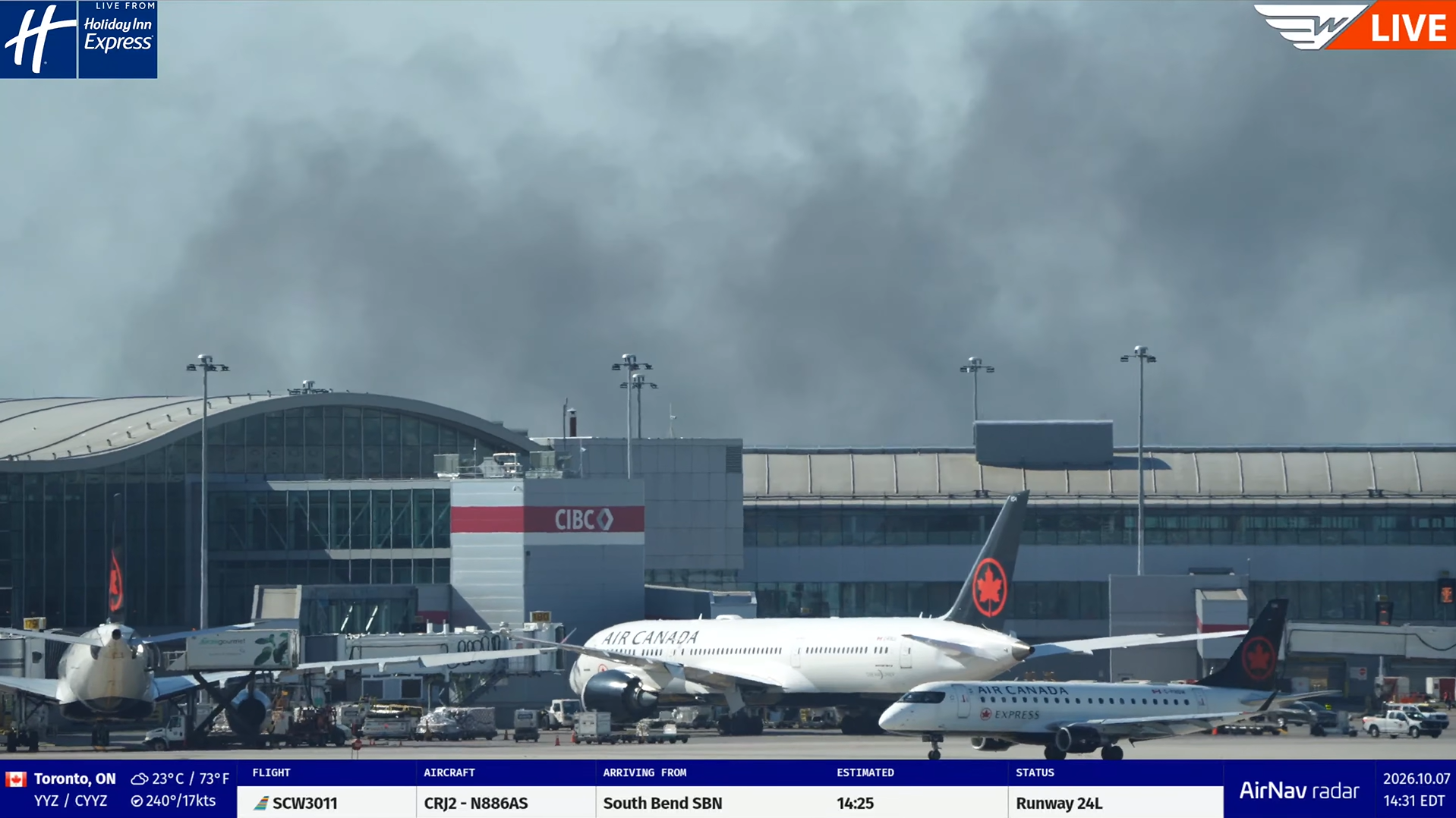
Wake Turbulence Aviation Uses Our Custom Widget in Toronto, Canada
We’ve listened to your feedback! We've updated the AirNav Radar Livestream Widget Builder, and you can now customize your widgets' background and accent colors to better match your livestream’s branding. Whether you run an airport livestream, share aircraft movements with aviation enthusiasts, or broadcast live footage from an airport worldwide, our updated builder gives you more control over how flight information appears on your stream.
How to Customize Your Livestream Widget
Getting started is easy. If you already use an AirNav Radar widget, you can revisit the builder and update your existing configuration.
1. Open the Livestream Widget Builder
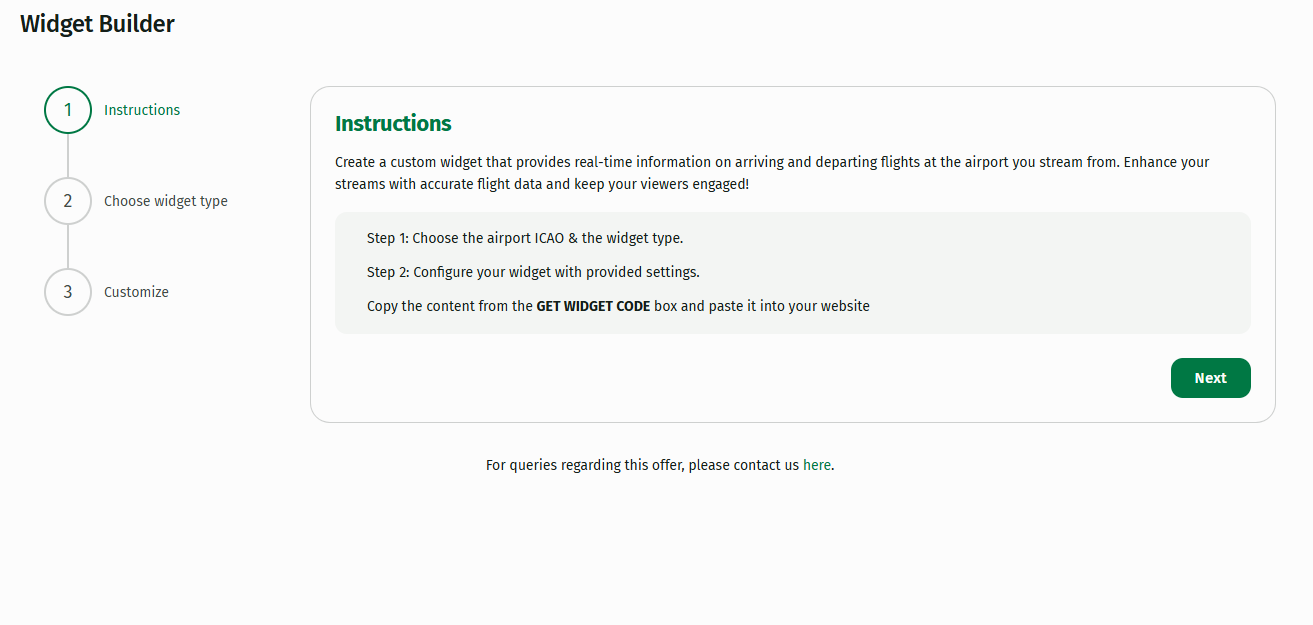
Visit airnavradar.com/livestreams-widget and click Next to get started.
2. Choose your airport and widget
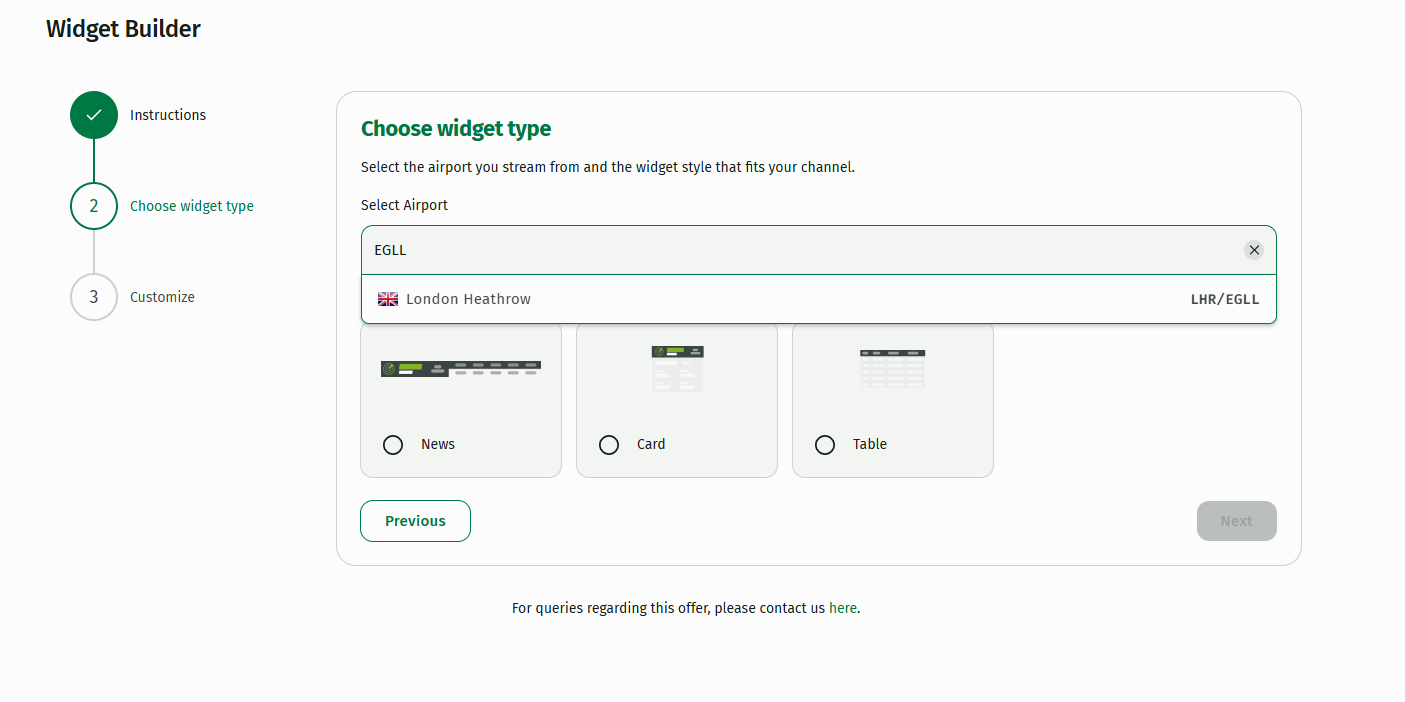
- Enter the airport’s ICAO code. An ICAO code is a four-letter identifier assigned to an airport and used internationally in aviation. For example, EGLL is the ICAO code for London Heathrow Airport.
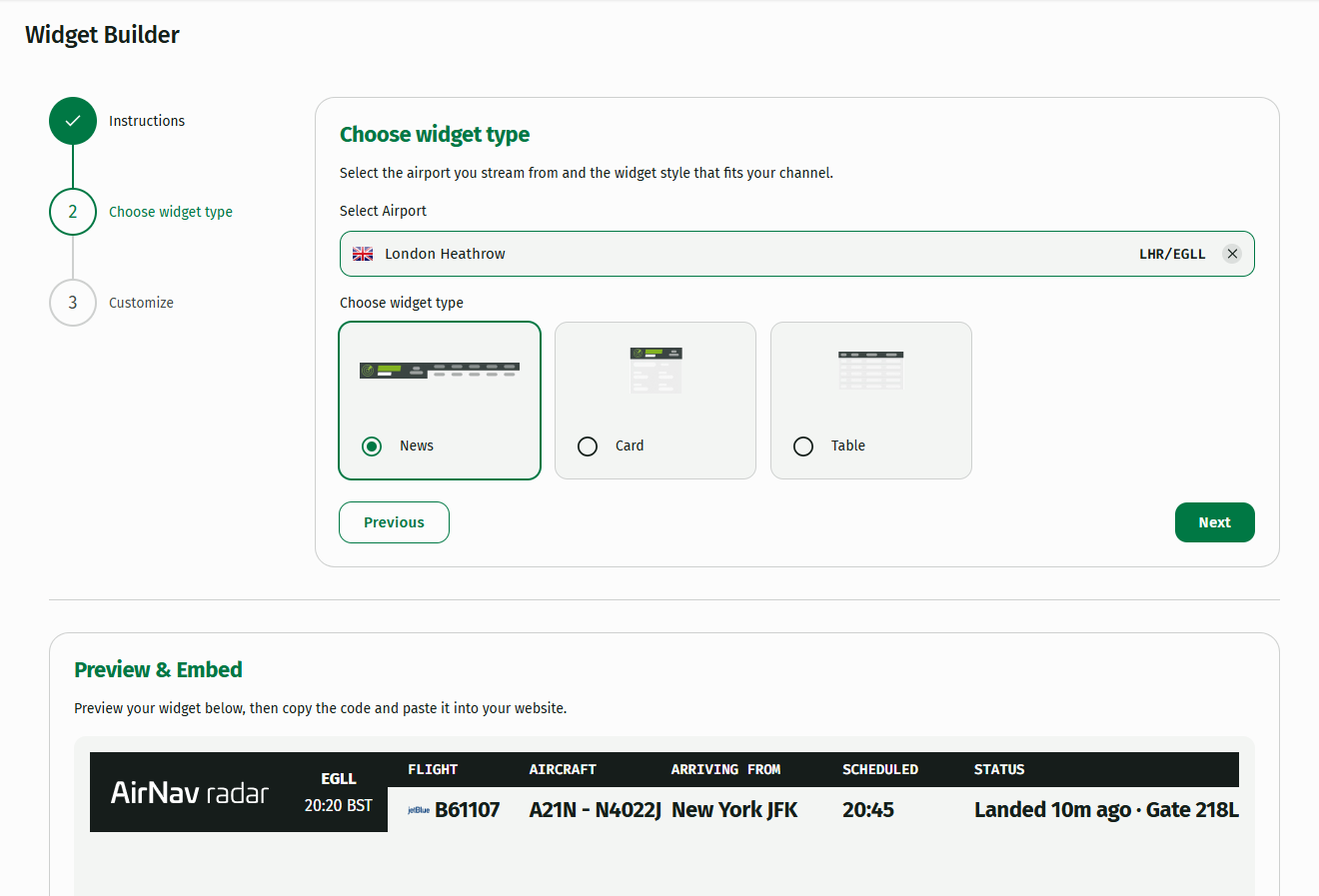
- Choose one of the three available widget styles. For example, you can select the News widget to display flight information in a format suited to your livestream.
- Click Next to see a preview of your widget.
3. Customize your colors and settings
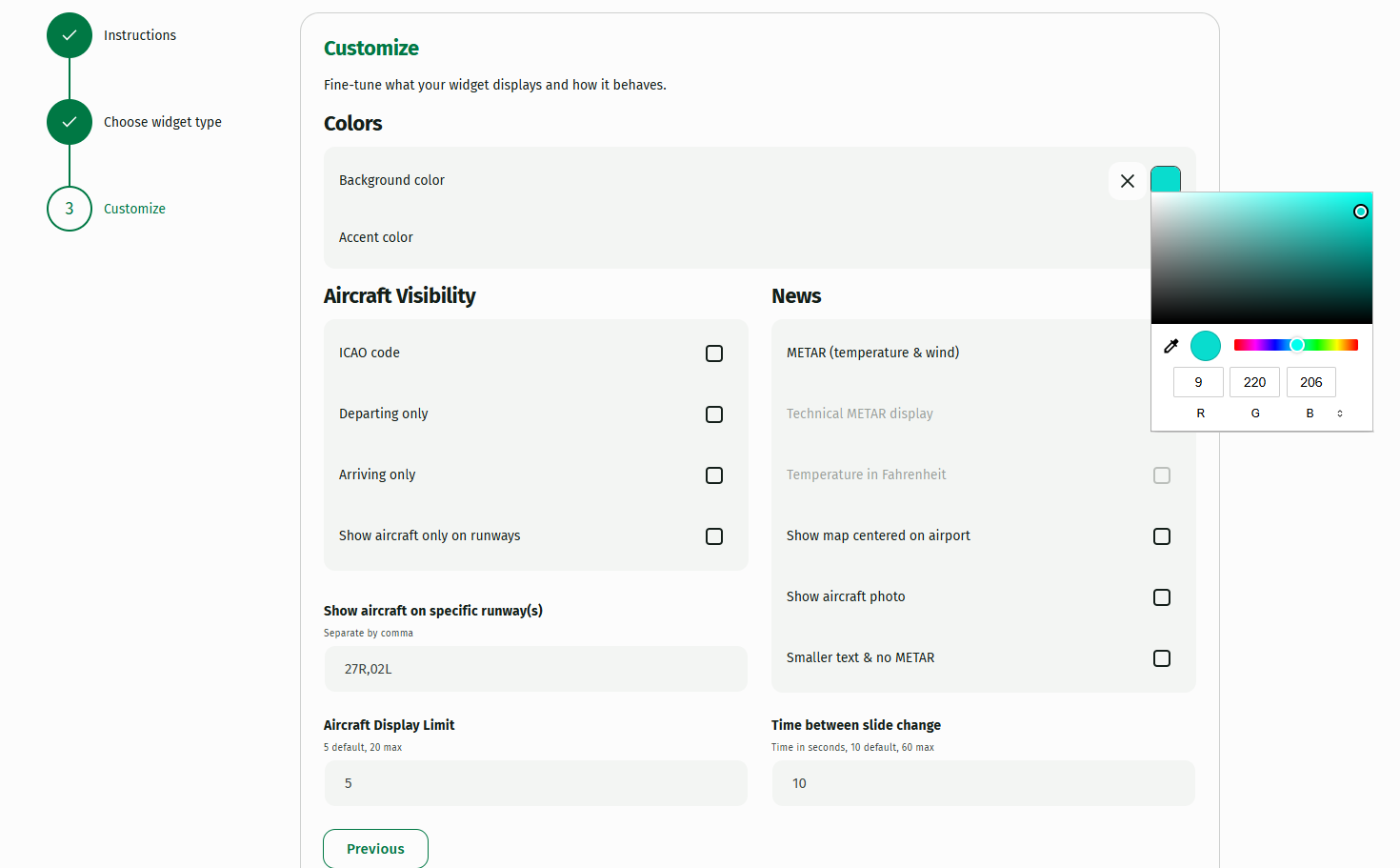
This is where the new customization options come in. Choose your preferred background and accent colors to match your channel’s visual identity.
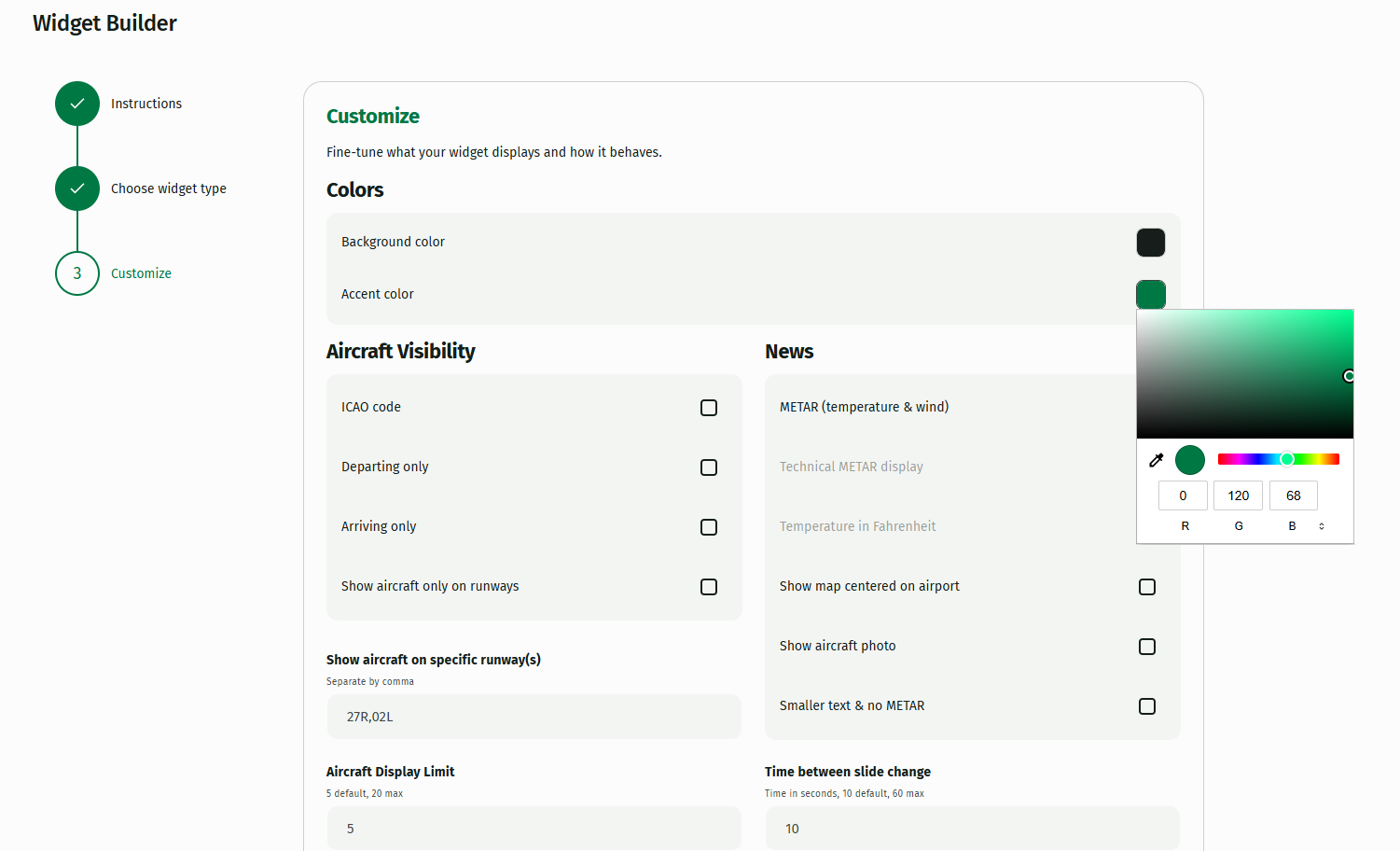
You can also adjust other settings to suit your broadcast, including:
-
Aircraft visibility: Choose whether aircraft should appear on the widget.
-
METAR information: Decide whether to display current aviation weather information.
-
Number of aircraft: Adjust how many aircraft are displayed.
-
Slide duration: Set how long each slide remains on screen. The default is 10 seconds.
These options help you create a widget that fits your layout, whether you prefer a minimal design or a more detailed view of airport activity.
4. Preview, copy, and add it to your livestream
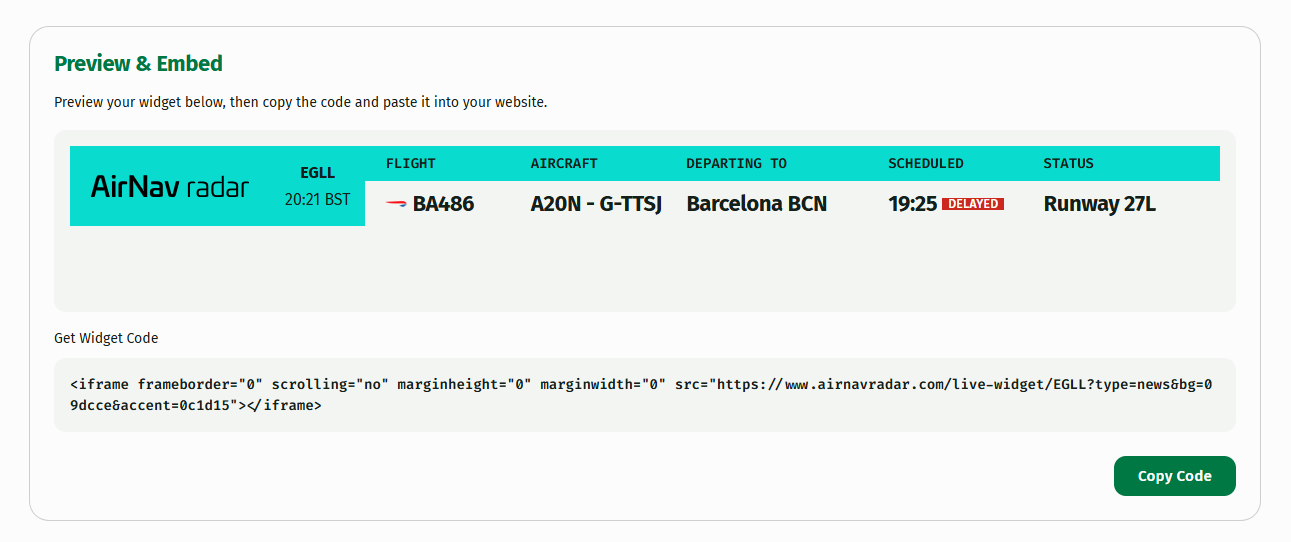
Once you’re happy with the configuration, review the preview to make sure everything looks right. Then copy the generated code and add it to your livestream setup.
That’s it! Your widget is ready to help viewers follow the action with flight information presented in a style that fits your channel.
Ready to customize yours?
Open the AirNav Radar Livestream Widget Builder
Already Streaming? Let’s Feature Your Airport Camera!
AirNav Radar pioneered support for aviation livestreamers when we launched our Camera Program in 2023, helping creators connect their airport cameras with our global flight-tracking community.
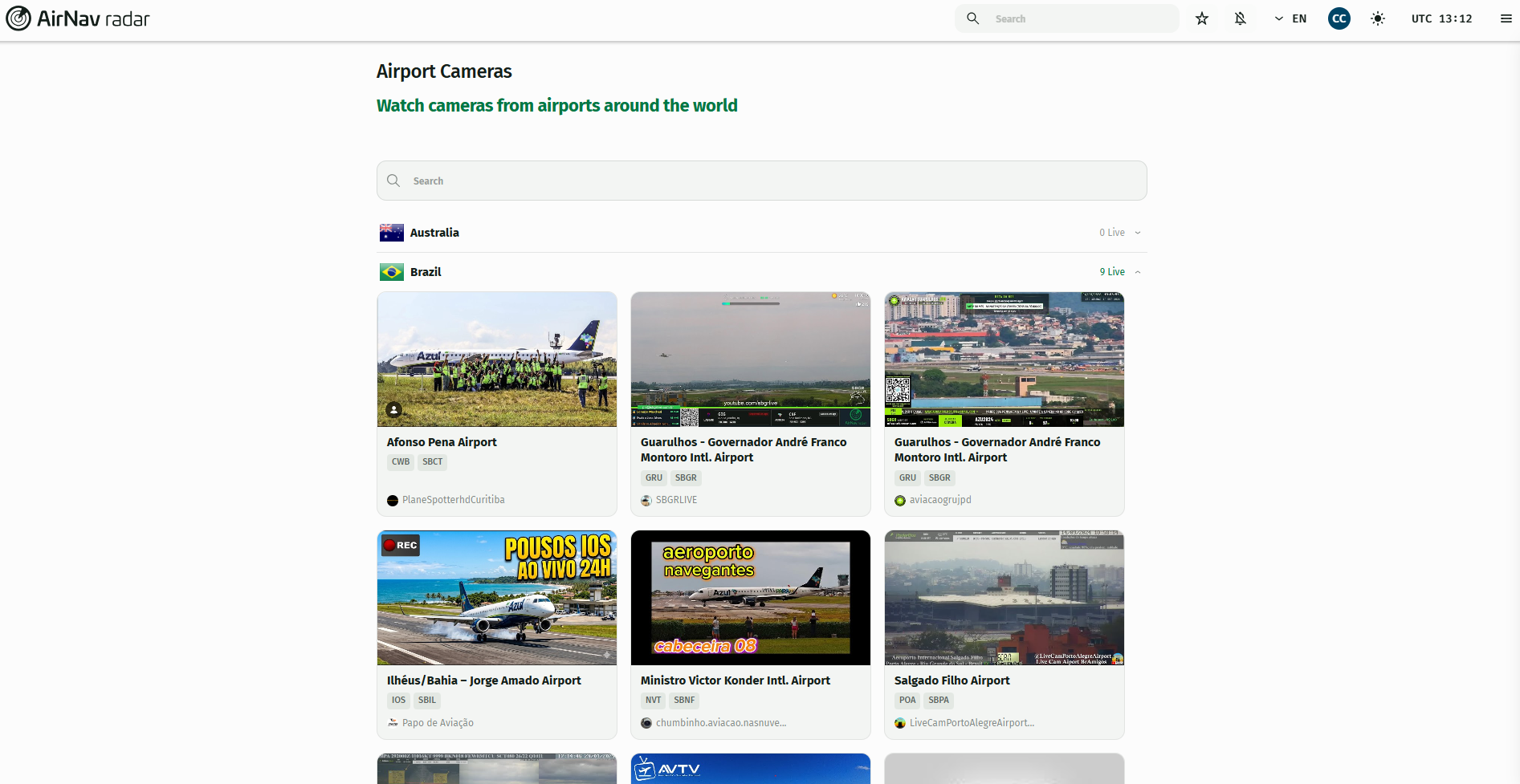
Today, our network features more than 30 cameras across more than 10 countries, giving aviation enthusiasts another way to follow aircraft movements worldwide.
Explore the available streams on our Cameras page. Do you operate an airport webcam or aviation livestream? We’d love to hear from you!
To apply for the AirNav Radar Webcam Program, email [email protected] with details about your channel and livestream.
One important tip: include the airport’s ICAO code in your livestream title. This helps us identify the airport and makes it easier to organize your stream for our audience. Please also include your channel link and any relevant details about your camera setup. After we review your application, we can discuss featuring your livestream on the AirNav Radar website and introducing your content to our global audience.
What’s in It for Livestreamers?
The AirNav Radar Camera Program helps aviation creators improve their content, reach new viewers, and make better use of flight-tracking data.
Selected partners can benefit from:
-
Free Business accounts: Access premium features and tools to support your aviation content.
-
Custom widgets and solutions: Work with our team to explore tools tailored to your livestream.
-
Flight data and developer support: Get help integrating flight information and making your setup more useful for viewers.
-
Website exposure: Get your livestream featured on the AirNav Radar Cameras page.
-
Social media promotion: Introduce your channel to our community of aviation enthusiasts.
-
Newsletter exposure: Potential opportunities to reach readers interested in aviation and flight tracking.
-
Ongoing support: Contact our team for setup help and questions.
Benefits and promotional opportunities depend on the partnership and its requirements.
Trusted Flight Data for Aviation Enthusiasts and the Media
AirNav Radar has been tracking aircraft since 2001 and serves millions of users worldwide. Major international media outlets, including the BBC, CNN, The New York Times, Bloomberg, Financial Times, Reuters, Al Jazeera, El Mundo, The New York Post, Fox News, Daily Mail, The Sun, and The Washington Post, also use our flight-tracking data. By combining live airport footage with flight-tracking information, our webcam partners help viewers see what is happening in the skies and on the ground.
The Independent
ABC
CBS
NBC
The Guardian
The Telegraph
Fox 61
Fox 11 Los Angeles
KRON 4
Fox 2 San Francisco
KTLA 5
Associated Press
6BC Philadelphia
WRAL
WION
Join the AirNav Radar Webcam Program
Whether you already run an established aviation channel or are just getting started with airport livestreaming, we’re always interested in connecting with creators who share our passion for aviation. Visit our Cameras page, explore the available streams, and contact us directly there to discuss joining the program.