Tracking Helicopters With AirNav Radar
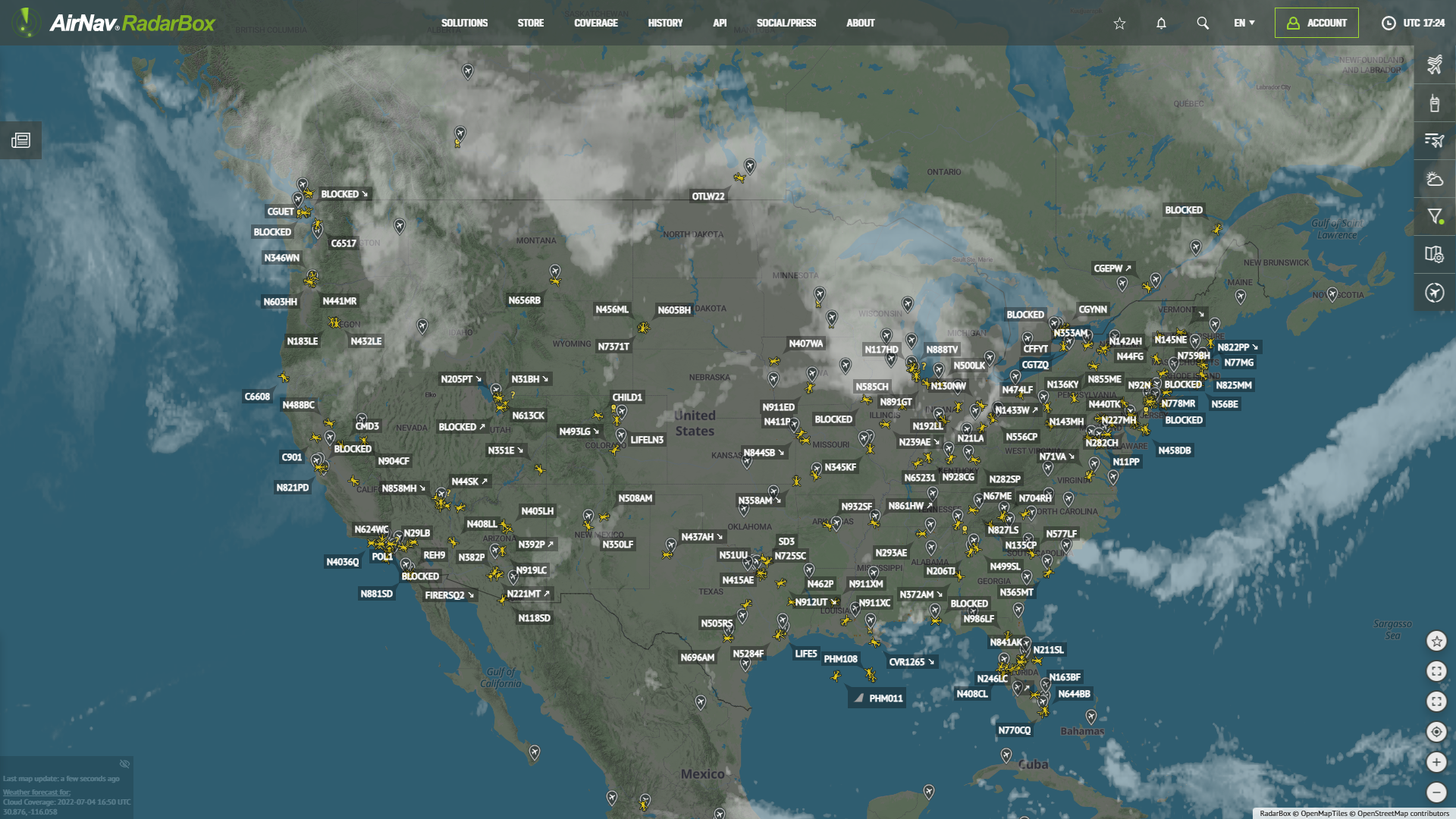
Helicopters tracked via RadarBox.com
With AirNav RadarBox's advanced map filtering options, displaying exactly what you want to see on the tracking map is easy. In this blog post, we will how to filter and track helicopters. Continue reading our blog post to learn more about this filter provided by RadarBox!
How to track helicopters with RadarBox
Visit RadarBox.com, then click the "Filters", option on the right sidebar.
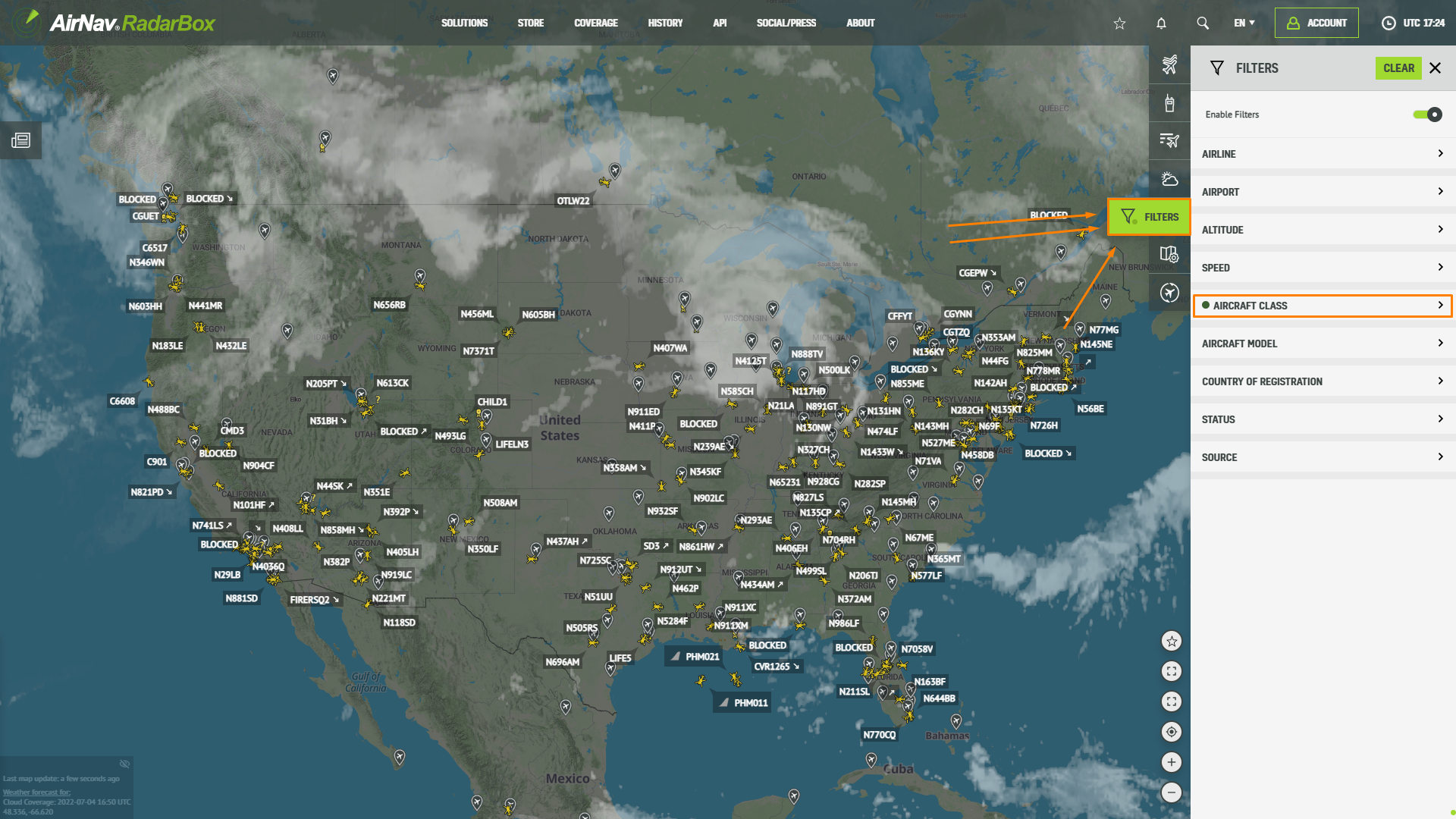
Helicopters tracked via RadarBox.com
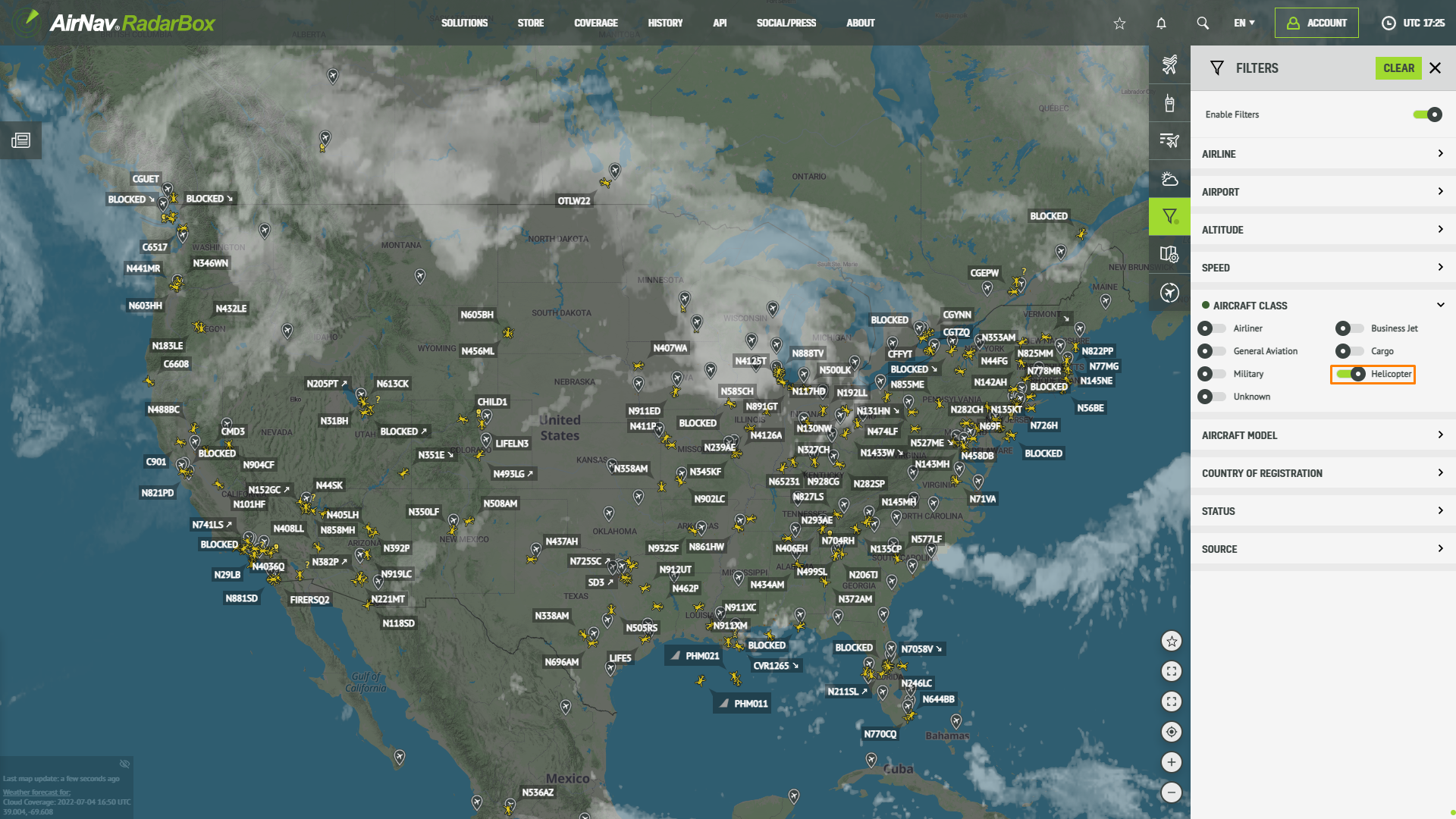
Locate the "Aircraft Class" filter option and click on that. After that, a list of aircraft types/classes will be displayed, including helicopters. Select "Helicopter" and deactivate the remaining options. You can even disable this filter or clean it by clicking on "Clean," located at the top of the Filters tab.
For example, we've spotted a Eurocopter EC130 (N894PA) flying over La Vegas at 2525 feet.
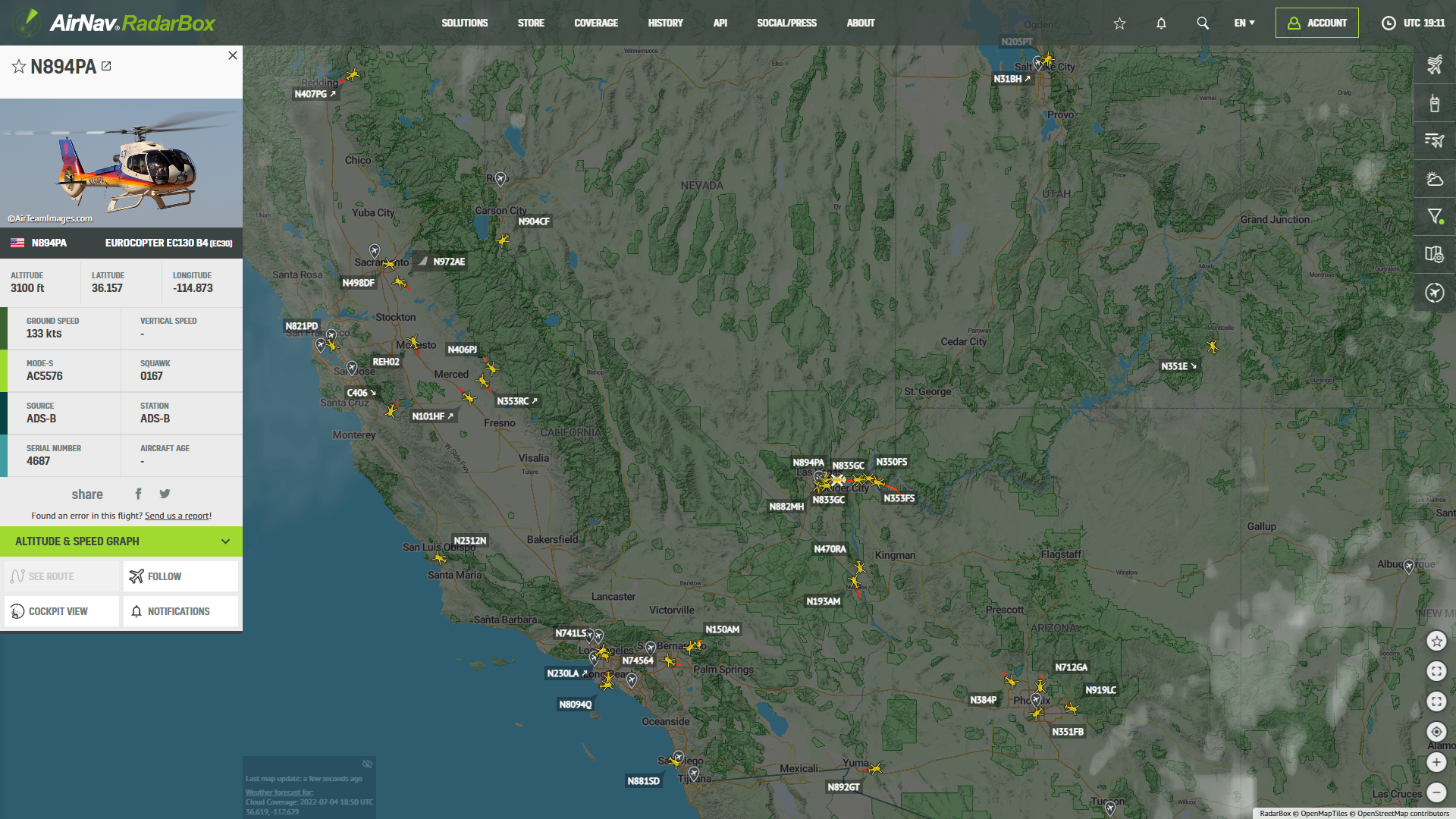
Helicopters tracked via RadarBox.com
RadarBox Apps
Filters are also available on our apps. Tap on the "Filters" option located in the bottom bar of the RadarBox apps.
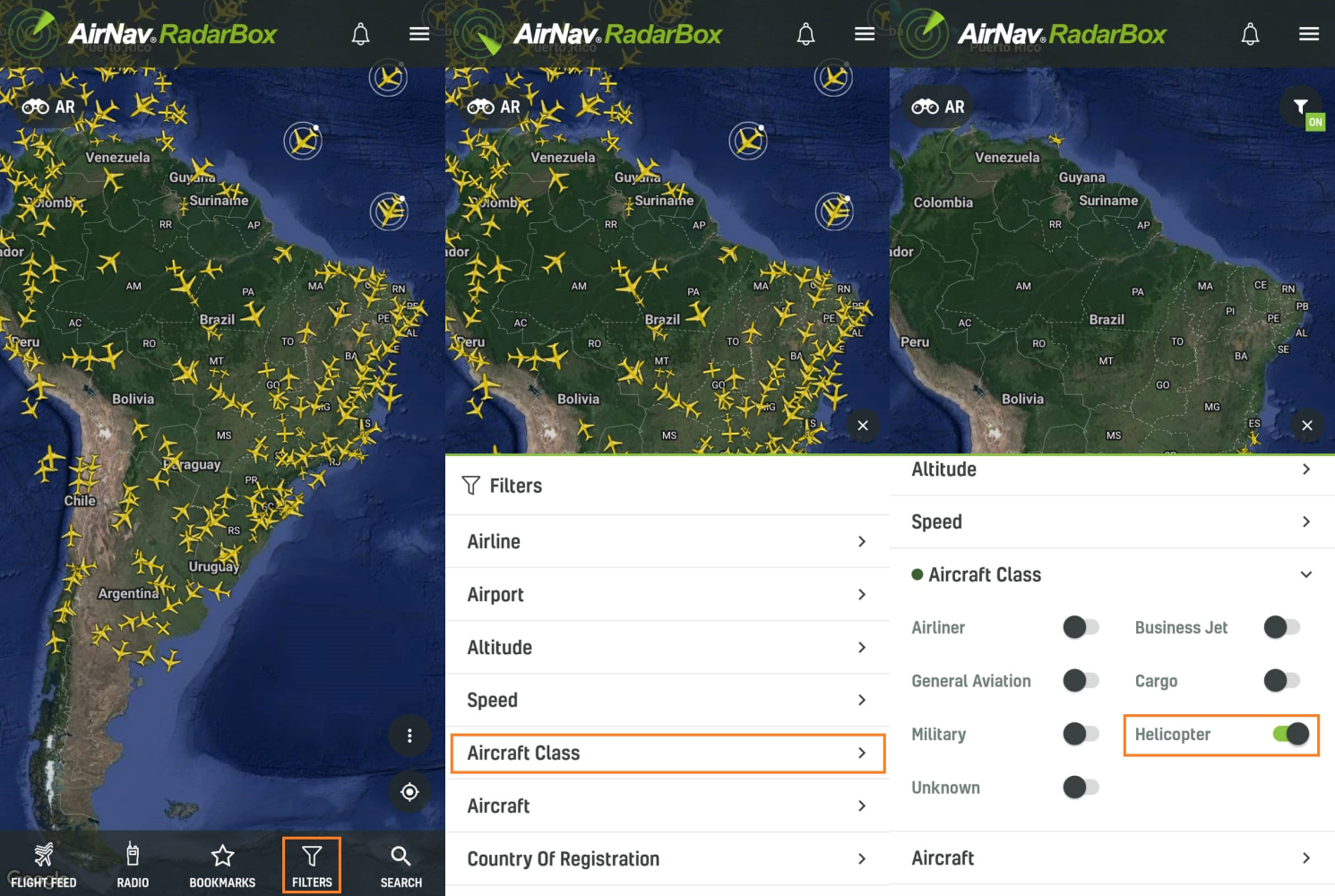
RadarBox Apps (Aircraft Class Filter)
Have a question or feedback? Tweet us with the hashtag #RadarBox or send an email to: [email protected]. Follow us on Twitter for more updates - Twitter.com/RadarBox24
To enjoy and use our filters, why not consider subscribing to RadarBox? Click here to subscribe!
Download our apps now -