Airport View
AirNav Radar Airport View explained!
AirNav Radar's Airport View has been designed around the needs and requirements of aircraft owners, FBOs, charter companies, and other aviation-related businesses such as airports that are involved with airport traffic operations. Airport View primarily displays the incoming and outgoing flight traffic of a single airport. In addition, features like live weather and separate arrival and departure cards make it one of the most versatile tools currently on the market.
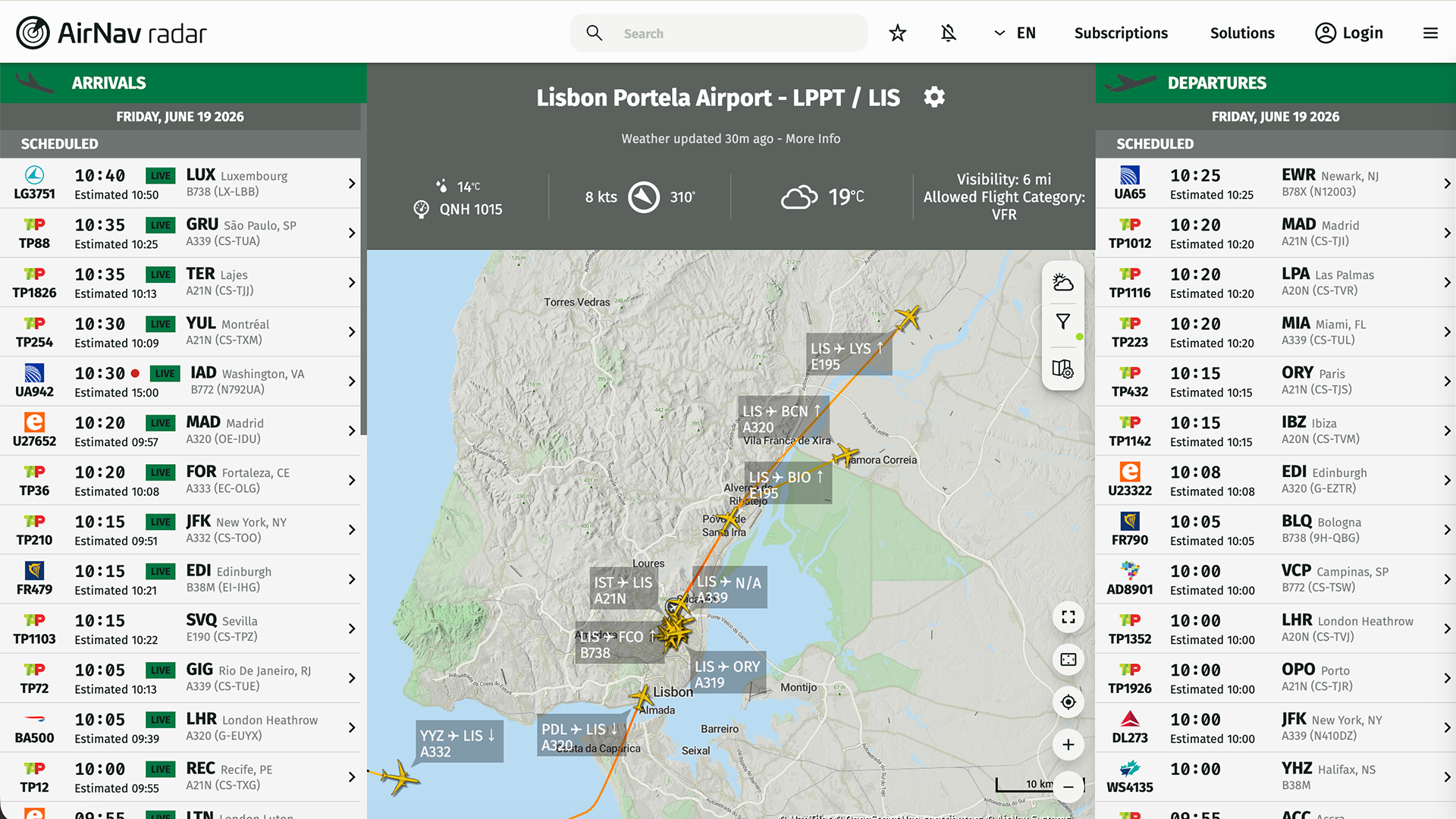
Airport View (Kempegowda International Airport, Bangalore — VOBL)
The customization options with Airport View are unmatched. Users can choose from up to 6 different maps and overlay them with numerous layers, such as the weather layer, ATC boundaries layer, and a day/night layer. Airport View can also serve as an information system to display flight arrival and departure information in airport lounges and waiting areas while passengers wait for their flights.
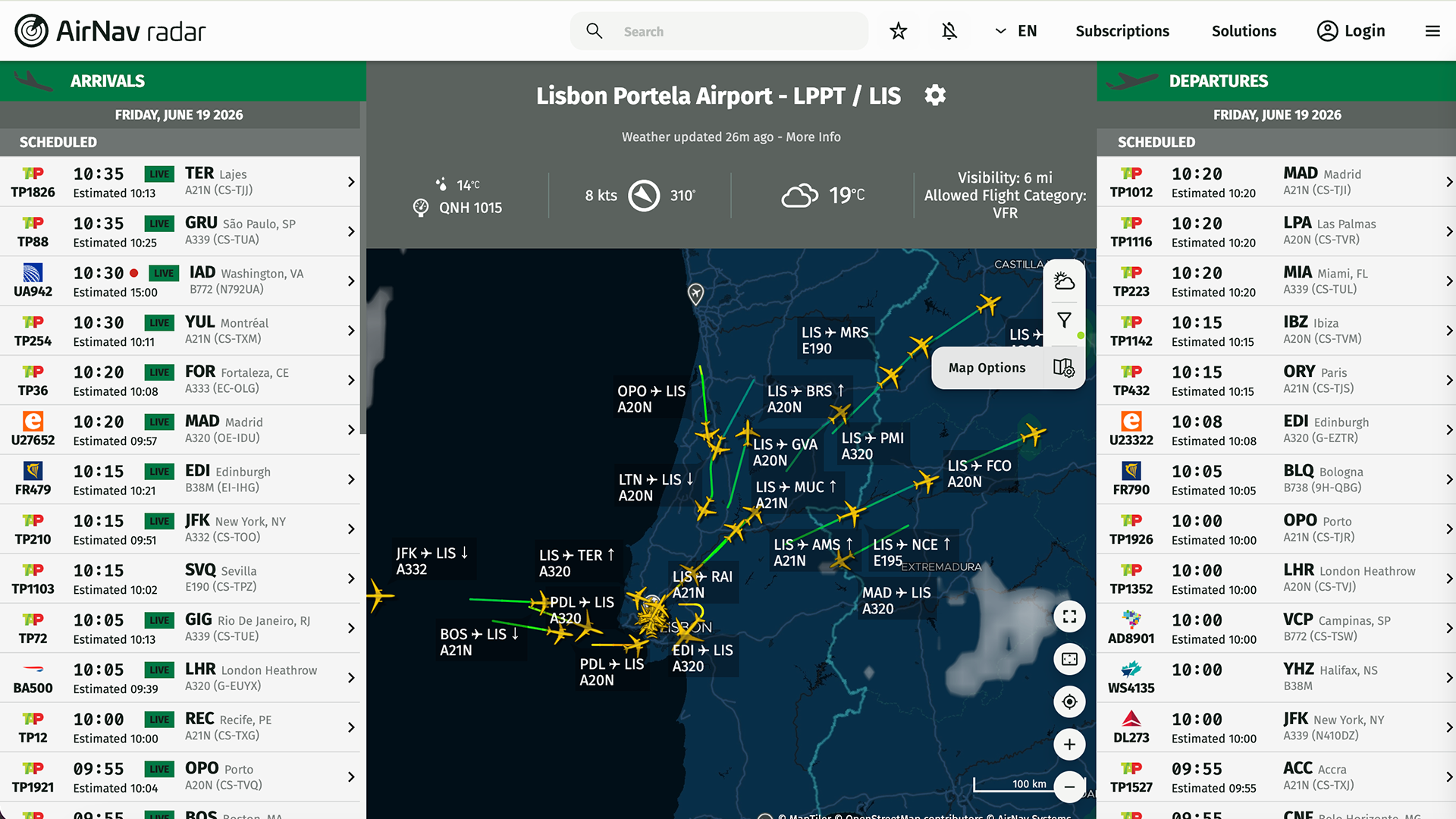
Airport View (Customized Dark Map — KJFK)
Passengers can also see other standard flight information, such as:
Airline logo
Flight number
Call sign
Registration
Type of aircraft
Live position
Airport View comes included with your Business account subscription and doesn't have a complicated setup process. Its flexibility with regard to customization is just another great reason why Airport View is the best choice to track your airport flight traffic.
Live weather updates: wind speed & direction, temperature & pressure, visibility & allowed flight category, dew point & precipitation.
Separate arrival & departure cards.
Monitor inbound & outbound traffic.
Detailed flight status.
6 distinct maps.
Tracking data from 12 distinct data sources.
Historical flight data.
Replay flights for up to 365 days.
Powerful filters for efficient fleet management.
NavAids, ATC & weather layers.
Access to premium iOS & Android apps.
24/7 priority customer support.
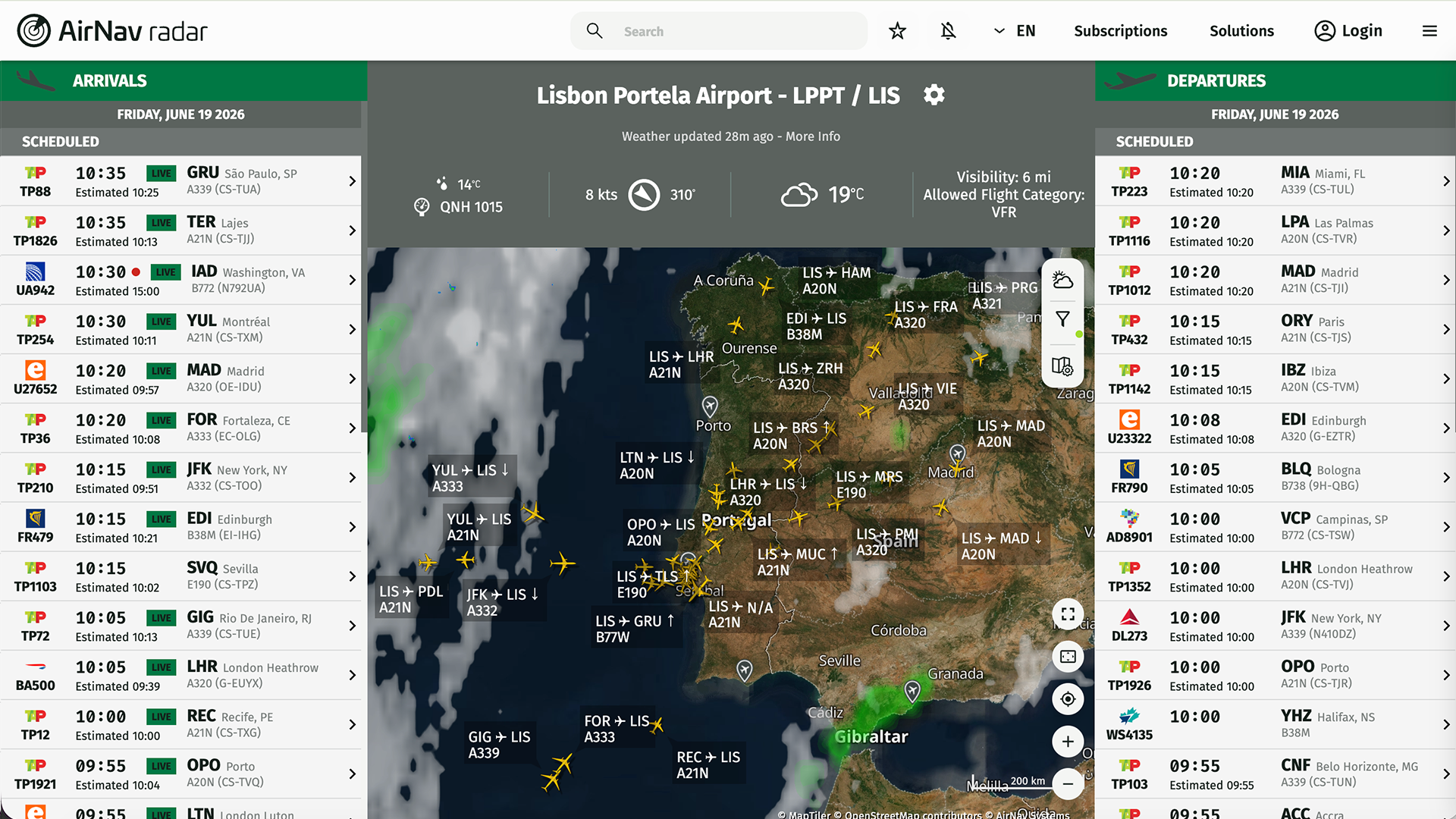
Airport View — satellite map with weather overlay
To register for this feature, you must first sign up for a Business account. Sign up for a Business subscription here. Once your Business subscription is confirmed, the Airport View option will be activated and can be found under the Business tab. Alternatively, click here to open it.
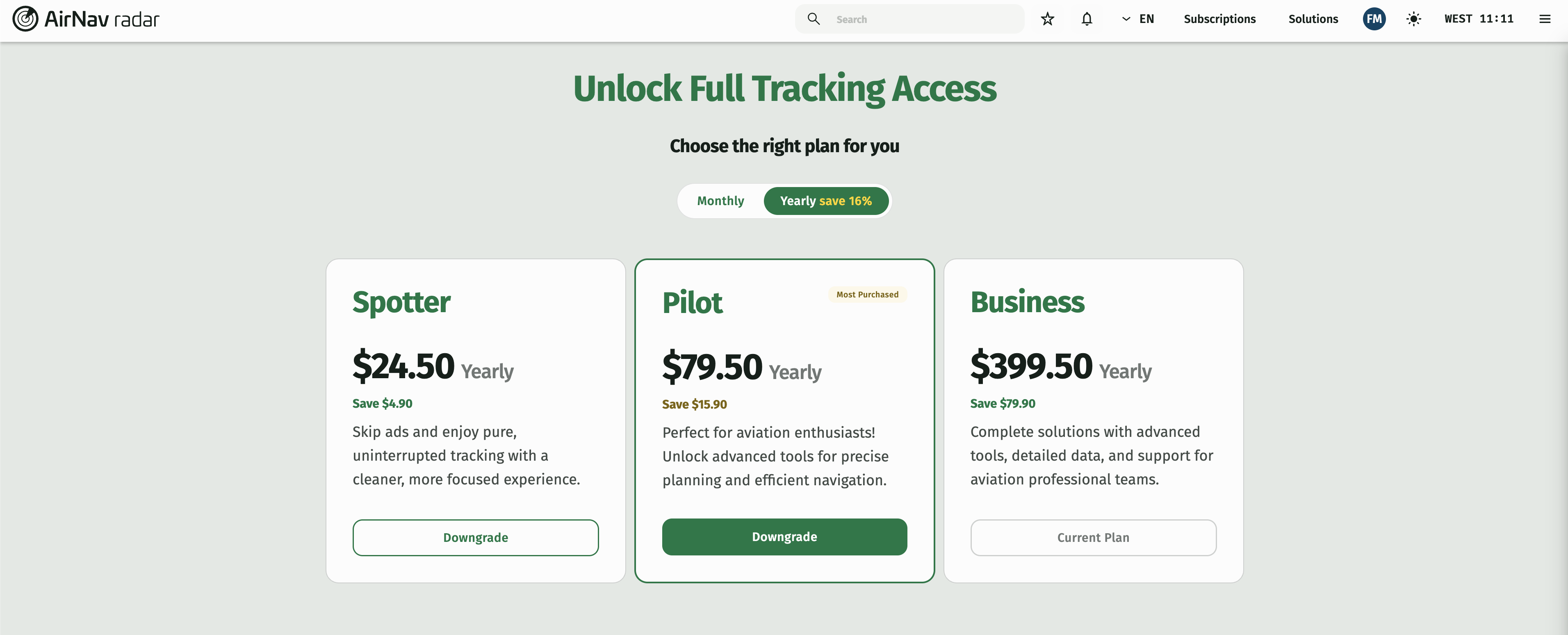
Business account subscription page
To begin tracking using Airport View, enter the name, ICAO, or IATA code of the airport and click the save button. You will be able to monitor all inbound and outbound air traffic immediately.
Location
4850 Tamiami Trail N, Suite 301
Naples, FL 34103
USA
Webpage
Phone
1-800-401-2474 (US)
1-813-321-7834 (Int.)
Phone only for professional enquiries
For other issues, use the contact form.
Your questions will be answered within 24 hours.